The latest iteration of the iPhone, known as the iPhone 15 Pro, has brought with it a range of issues, both on the hardware and software fronts. While hardware problems like overheating and bricked devices have grabbed headlines, a significant software bug has also emerged, causing concern among users.
The Touch Screen Issue
Table of Contents
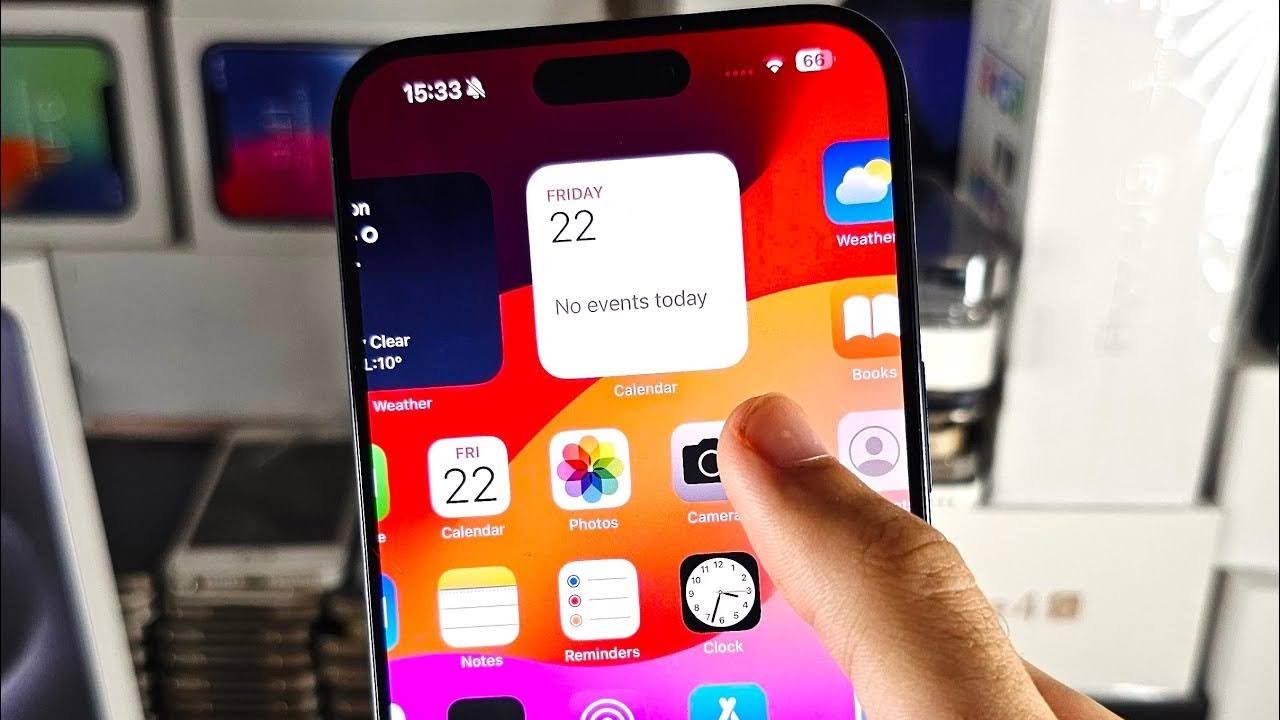
In recent days, numerous iPhone 15 Pro users have reported that their touch screens are not functioning as expected. What makes this issue particularly troubling is that it’s not limited to a specific region of the screen. For some users, the right-hand side of the screen, including keys like P, M, backspace, and send buttons, is unresponsive. Others have experienced unresponsiveness in different areas, such as the A, shift, and S keys. Some have even discovered that the issue can be replicated when customizing the wallpaper by quickly tapping on two different colors, causing one of them to become unresponsive.
Initially, there were speculations that screen protectors might be the culprits behind this problem. However, it has been confirmed that the touch screen issue on the iPhone 15 Pro is not related to screen protectors. Users without screen protectors have also encountered this problem, ruling out protectors as the cause.
Is it a Hardware or Software Issue?
The crucial question is whether the touch screen problems on the iPhone 15 Pro are due to hardware failure. Fortunately, there is a high likelihood that this is a software issue rather than a hardware one. A touch screen test app called “Touch Check” was used to investigate this matter, and the results showed that touches were being registered all over the screen.
Furthermore, the fact that there is no specific region where touch fails to register (for some, it’s the right side, while for others, the left side is affected) reinforces the belief that this is a software-related problem. This suggests that there is hope for a software update to address and resolve the touch screen issue on the iPhone 15 Pro.
How to Fix the iPhone 15 Pro Touch Screen Issue
As for resolving the touch screen problem on your iPhone 15 Pro, the good news is that since this is a software-related bug, a solution is on the horizon. The Cupertino giant, Apple, is expected to release a patch that will address this issue.
Apple has already rolled out the iOS 17.0.3 update, and there’s also the iOS 17.1 public beta 2 update in circulation. These updates have shown mixed results in resolving the touch screen issue. While some users have reported that their problem was fixed, the majority are still experiencing difficulties.
The silver lining here is that Apple is well aware of the bug’s existence, and it’s likely that they will work diligently to provide a comprehensive fix in upcoming OS updates. This means that in the not-too-distant future, users can expect a permanent solution to the touch screen issue on the iPhone 15 Pro.
We recommend staying tuned for official Apple updates, and we will promptly update this post when a definitive fix is made available. In the meantime, knowing that Apple acknowledges the problem and is actively working on it should provide reassurance to affected users.
Updated on 21 October 2022: Workaround to Fix a Frozen Screen on iPhone 15 Pro/Max
Sometimes, your iPhone 15 Pro/Max screen may freeze and become unresponsive. This can be very frustrating and prevent you from using your phone normally. Fortunately, there is a simple solution that works for most users: a hard reboot. A hard reboot is a way of restarting your phone by forcing it to shut down and turn on again. This can clear any temporary glitches or errors that cause the screen to freeze.
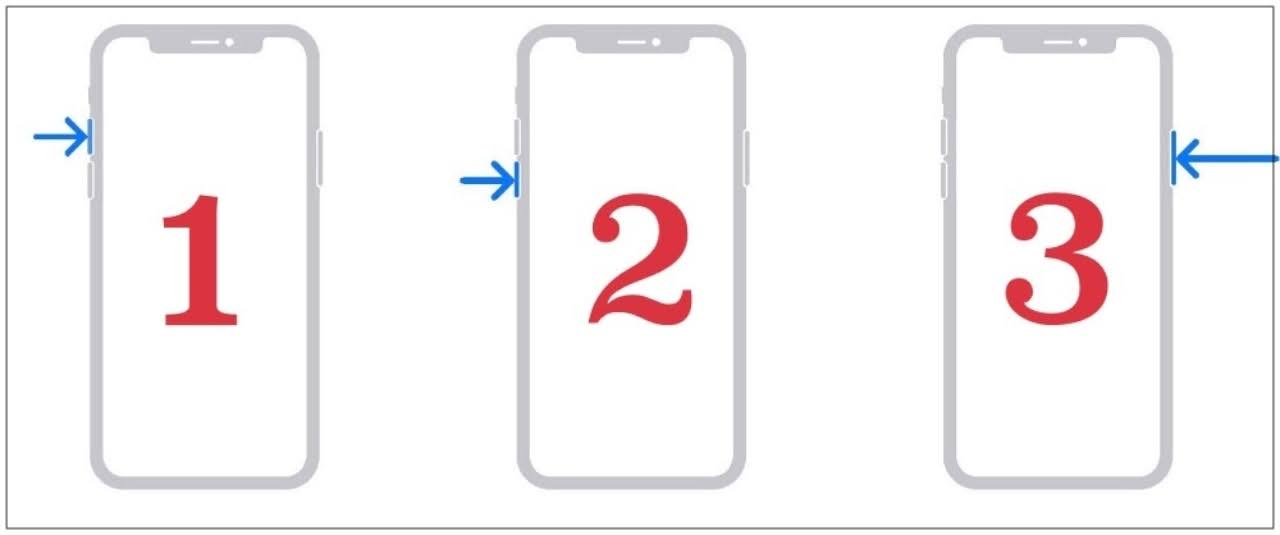
To perform a hard reboot on your iPhone 15 Pro/Max, follow these steps:
- Quickly press and release the Volume Up button on the side of your phone.
- Quickly press and release the Volume Down button on the same side.
- Press and hold the Power button on the other side of your phone until you see the Apple logo on the screen.
- Release the Power button and wait for your phone to boot up normally.
You have successfully completed a hard reboot of your iPhone 15 Pro/Max. Your screen should now be responsive and function normally. If you still experience screen freezing issues, you may need to contact Apple support or visit an authorized service center.